Diary
- What free slots do I have on Thursday afternoon?Lookup
- Who is in first thing tomorrow?Lookup
- Book Hugh in on Friday at 12:00 for a cut.Change

New in Barberfy
Connect Claude, ChatGPT or any compatible assistant to your Barberfy account. Ask about your appointments, clients or till and request changes in your own words. Before changing anything it checks that it fits and asks for your go-ahead.
Example conversation with sample data.
Smart integration
When it connects, your assistant receives background instructions from Barberfy. And every change goes through the same rules as your dashboard, whether the assistant follows them or not.
Book Hugh on Thursday at 12:00 with Matthew.
It finds the client and checks the appointment before, the one after and whether the service fits between them.
12:00 is taken. It suggests 11:30 and waits for your answer.
It books the appointment and Barberfy applies the rules of your diary.
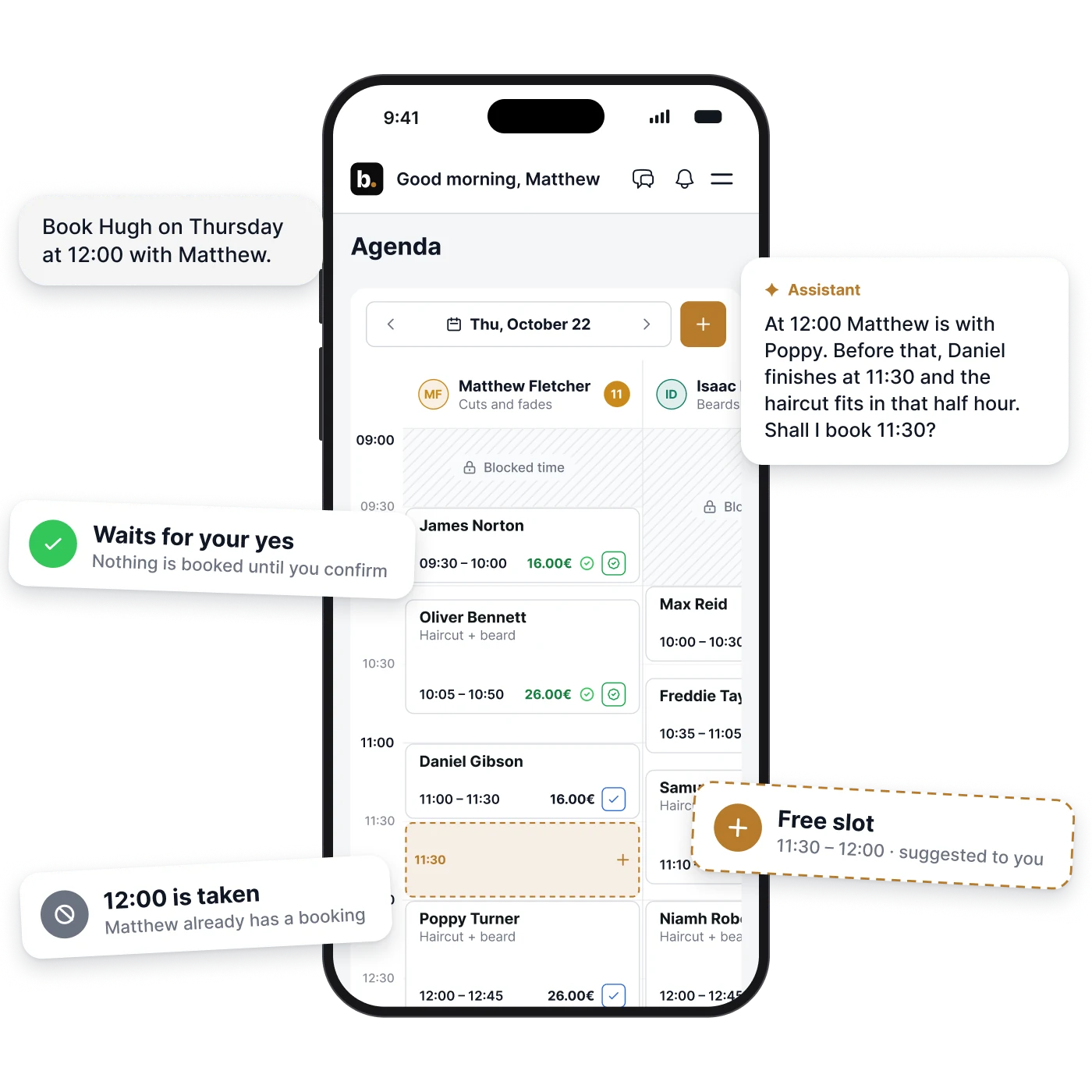
If you ask for an appointment at a busy time, it looks at availability and suggests the free times or who on the team can do it.
Before a change it is instructed to tell you exactly what it is about to touch and wait for you to confirm.
Booking, moving or cancelling emails the client. A review reply is public. Recording a payment changes the till.
Before marking a holiday it checks whether that day already has appointments, because closing does not cancel them.
What a client writes in a note or a review it is instructed to treat as data, not as a command.
The service must be active, the team member must perform it, the slot must be free and a paid appointment cannot be moved.
The instructions guide the assistant. The rules are enforced by Barberfy, and whatever breaks them is rejected.
What you can ask
These are examples. Write it the way you would say it to someone on your team.
What it is
AI assistants is the Barberfy connection for Claude, ChatGPT and any assistant that supports MCP (Model Context Protocol), the open standard that lets an assistant use an application on your behalf.
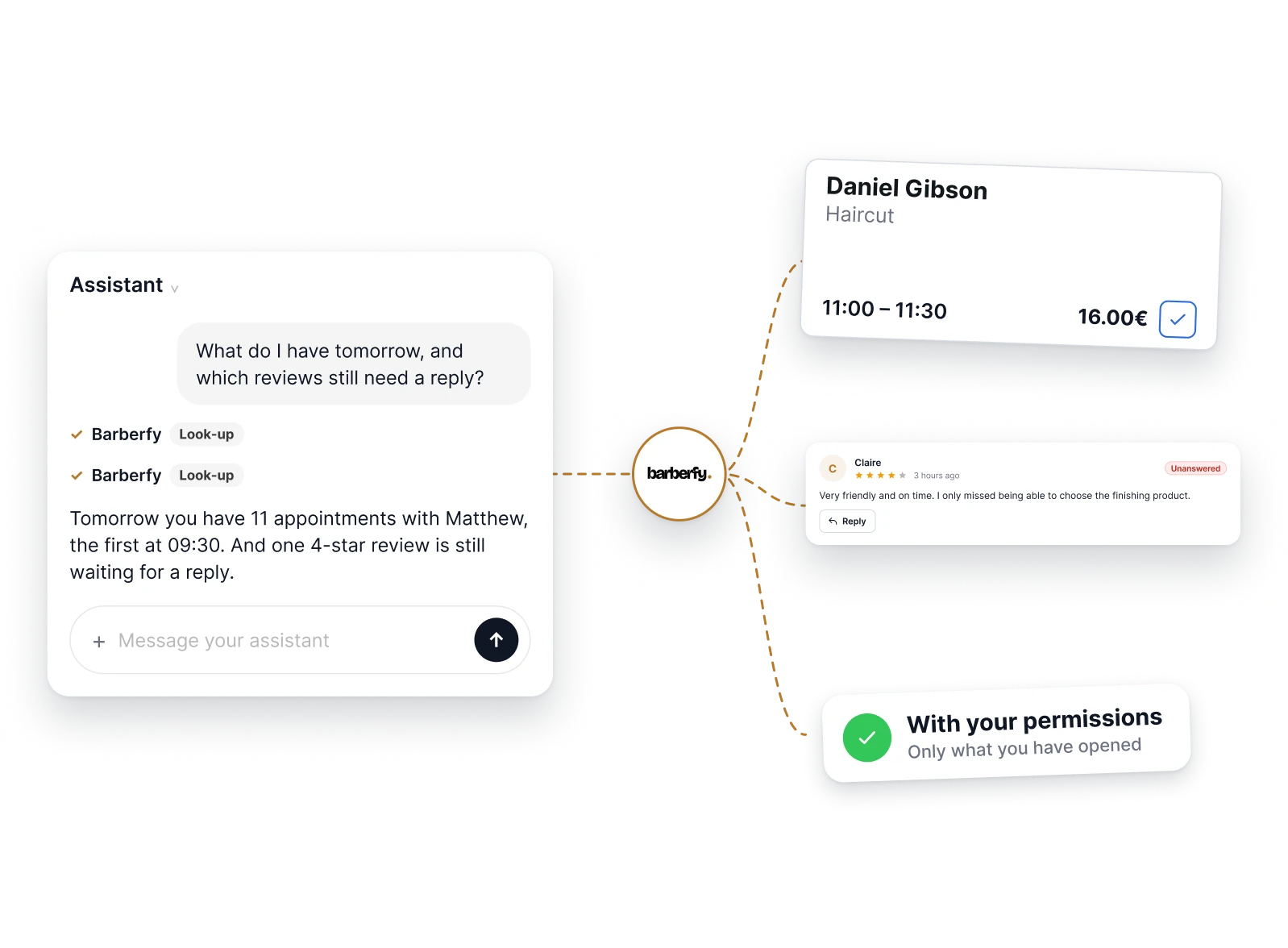
Once connected, the assistant reads your diary, your clients, your team, your service list, your reviews and your income with the permissions you give it, and makes the changes you ask for. It is not a chat inside the panel. It is your business, available in the assistant where you already work.
How to connect
Nothing to install and no code to touch.
It is in your panel, under AI assistants. It is the same one for all your businesses.
In Claude or ChatGPT it is added as a custom connector. The panel has the guide for each one, step by step.
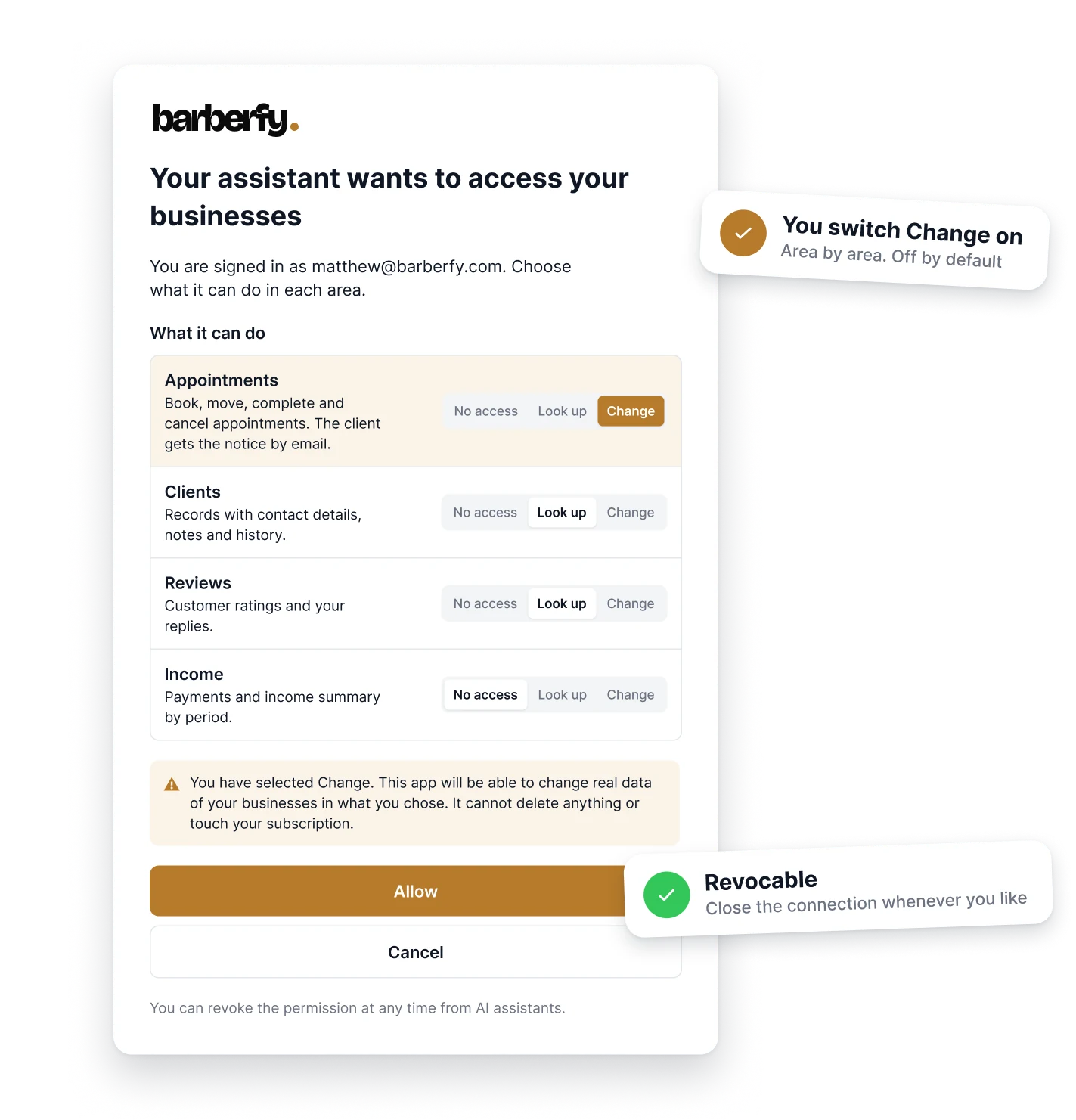
Barberfy shows you who is asking for access and you tick, area by area, what it can read and what it can change.
You decide
Every connection starts with permission to read only. What the assistant can change is your choice, one area at a time. Try it here.
Availability and Subscription are read only. You can change the permissions or close the connection whenever you like.
The limits
Some things are not delegated. No connection can do these, whatever permissions it has.
Security
Claude and ChatGPT, and any other assistant or application that supports remote MCP servers. For those that do not support OAuth access, you can create a manual token from the panel with the permissions you choose.
Model Context Protocol is an open standard that lets an AI assistant use external applications with the user's permission. Barberfy publishes an MCP server, so your assistant talks to your account with no custom integration.
Only in the areas where you have switched on permission to change, which starts off.
It does not book over it. Barberfy tells it to check availability first, so it says that time is taken and suggests the free times or another team member. And if it tries anyway, Barberfy rejects the appointment just as your diary would.
No. There is no delete action at all. With permission over Appointments it can cancel an appointment, just as you would in the diary, and the client gets their notice.
No. The connection belongs to the account owner only and covers all their businesses.
No. Barberfy records which action was used, when, and with what result. It does not store your questions or the answers. What the assistant reads from your account is handled by that assistant's provider under its own terms.
The plans that list it on the pricing page. If your plan stops including it, your connections are kept and work again when you get it back.
From AI assistants in your panel, in the Connections tab. You can close one or all of them at once.
Create your account, connect your assistant and ask your first question today.