Barberfy Points

A loyalty programme for your salon or barbershop

Your clients earn points on every visit and swap them for free services or discounts. The card lives on their phone with nothing to download, and you scan it at the counter from your diary.

Create a business accountSee pricing

Included in the Pro plan.

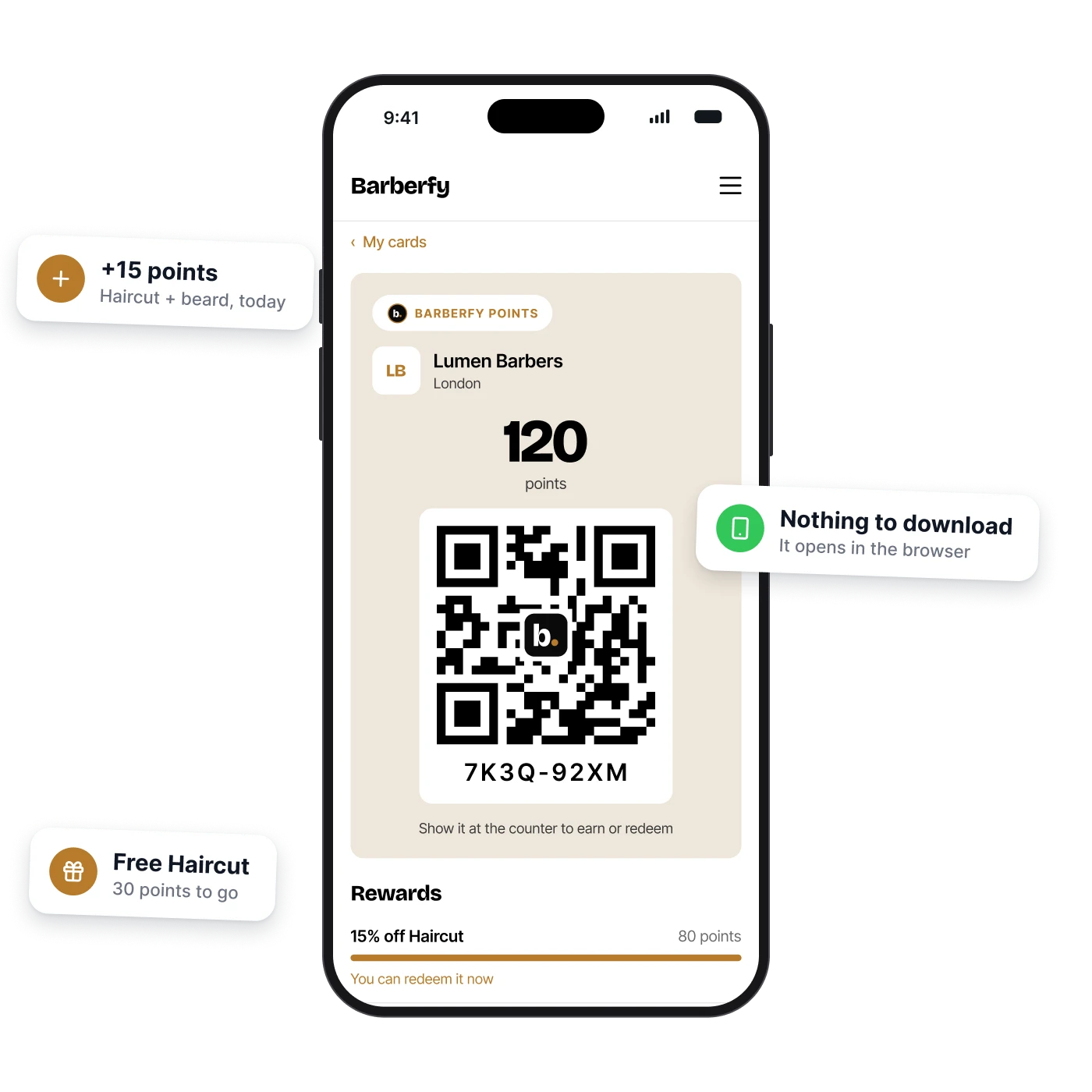
The client's loyalty card on a phone, with their balance, QR code and a 15% discount ready to redeem
No appThe card lives in your client's Barberfy account and opens in their browser
One per visitPoints are tied to one of today's appointments and are added only once
Per locationEach location has its own programme, rewards and balances

Paper cards get lost, left at home and anyone stamps them twice. And a card that needs another app is an app your client won't install .

See how it works

One visit, step by step

From booking to a free haircut

This is what your client sees. You just scan their card at the counter and Barberfy takes care of the rest.

Today at 17:30Haircut and beard trim with Matthew

Your client gets their card in a moment

The card appears in their account on its own when they book with you. Walk-in clients scan the QR poster on your counter or ask for it on your page, and a few seconds later it is on their phone. Nothing to download and free for them.
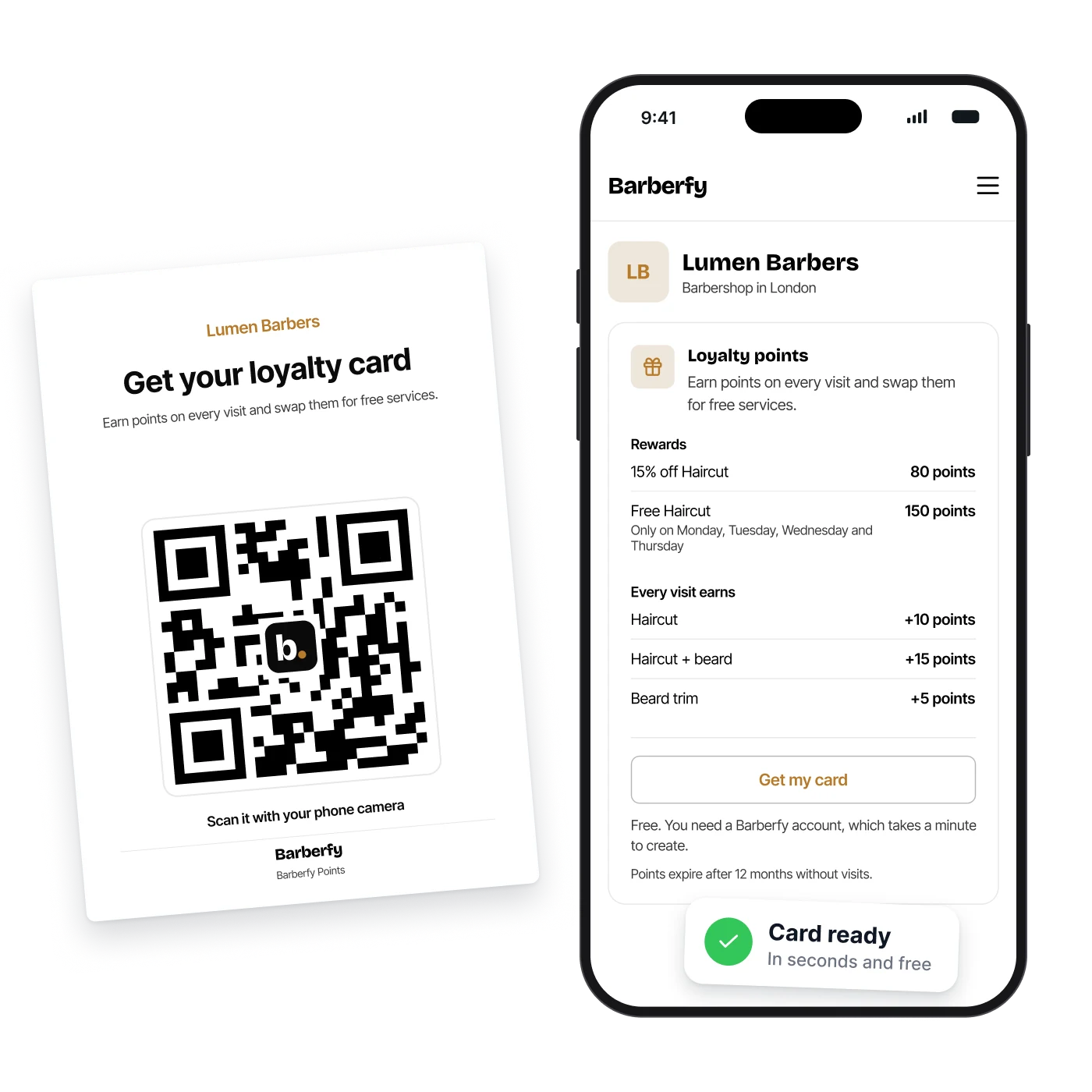
The QR poster on the counter and, next to it, the business page on a phone with the button to get the card

Add and redeem without leaving the diary

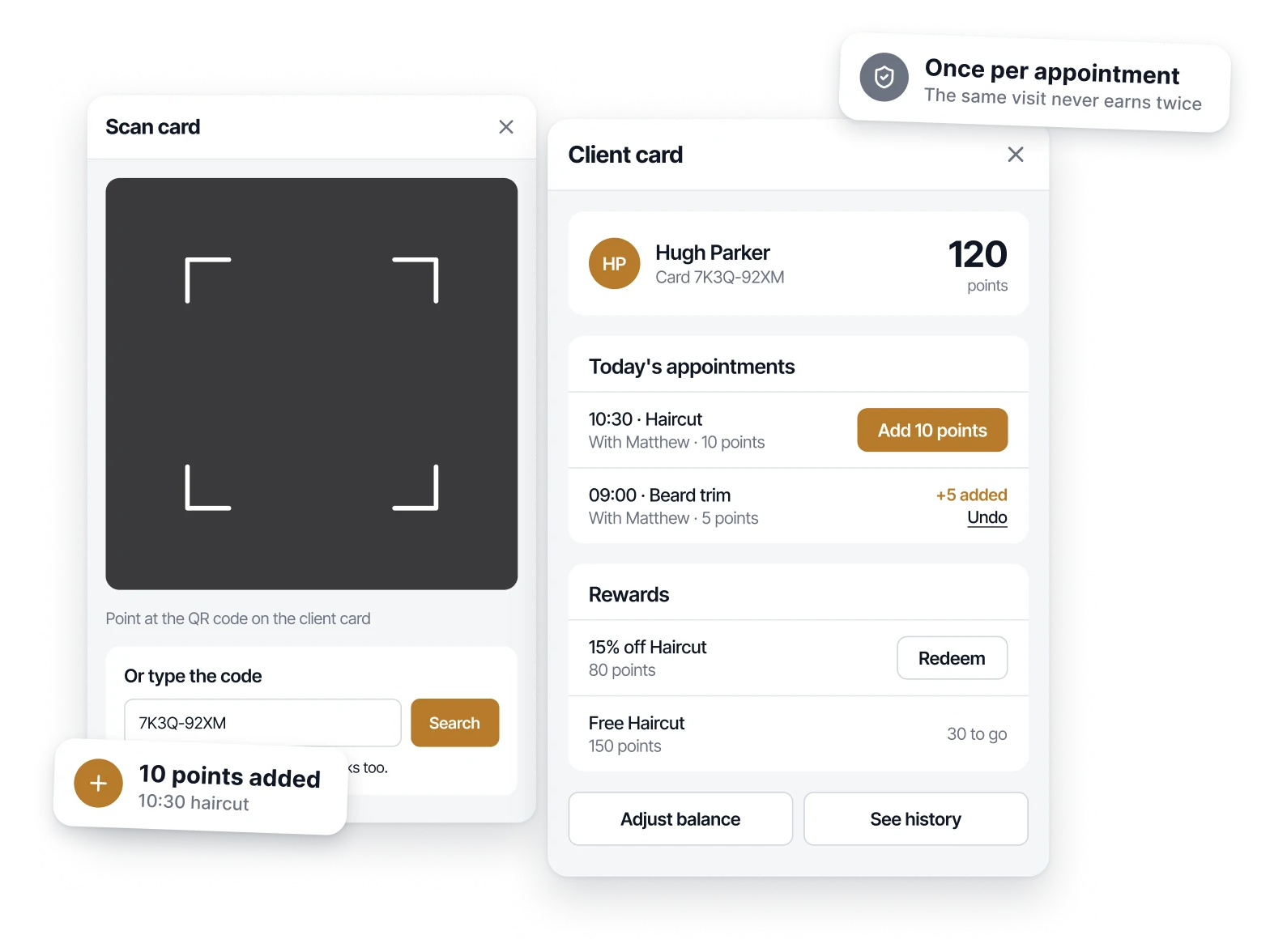
The button to scan a card sits in the diary toolbar. Read the QR code with the camera or type the code, and you see their appointments today and their rewards. Add points with one tap and, before redeeming, see a summary of what will happen.

The client card open at the counter, with today's appointments to add points and the rewards to redeem

You set the rules for each location

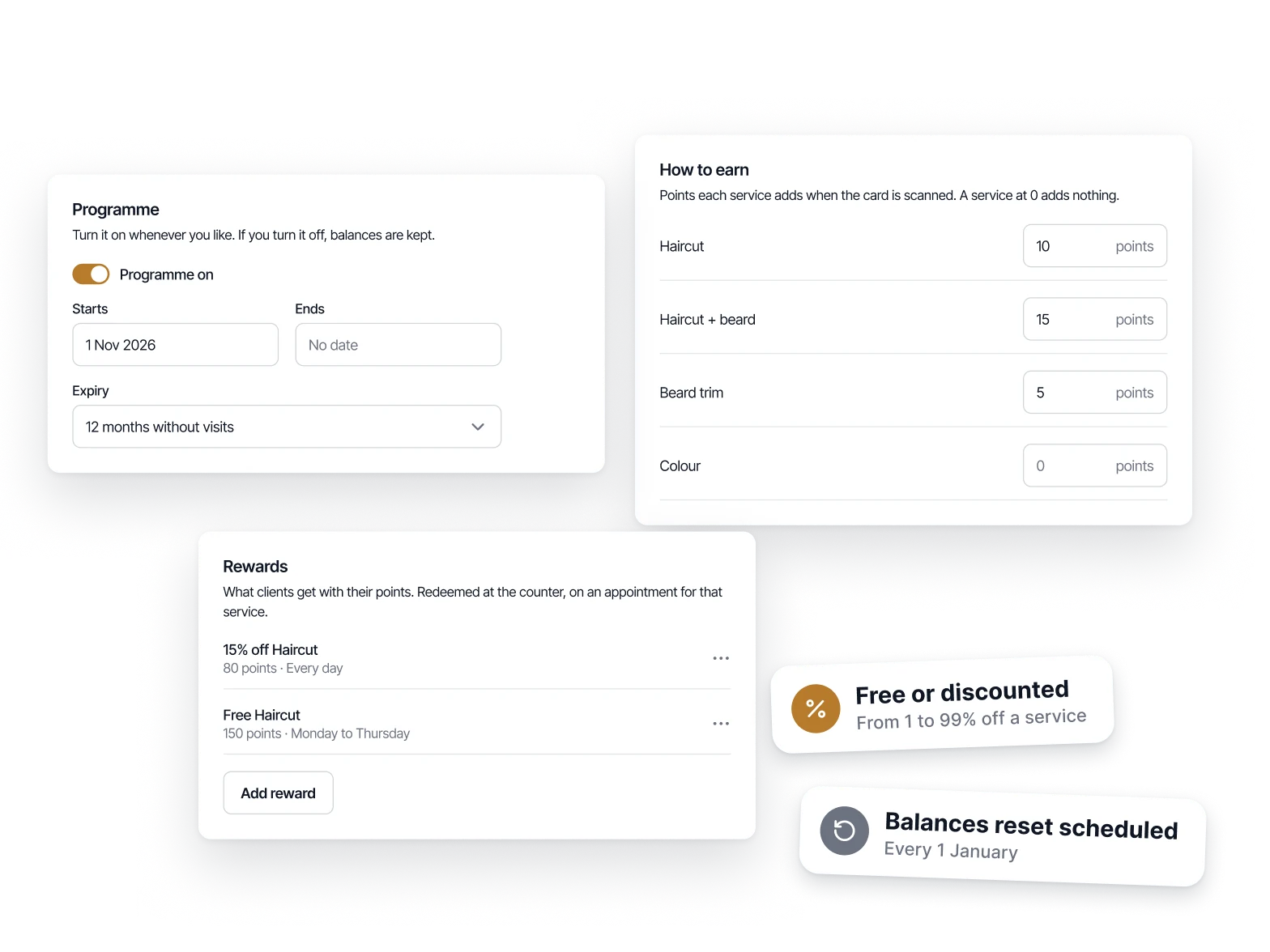
Decide what each service earns and which rewards you offer, a free service or a percentage off it, on which days, when the programme starts and ends and whether points expire. You can also reset them to zero whenever you like or schedule it, for example every 1 January.

The programme settings, with the points for each service, the rewards and the expiry

What's inside

  • A card with a QR code and a code to read out, in the client's Barberfy account
  • Read it with a phone, tablet or computer camera, or with a barcode scanner
  • Points tied to one of today's appointments, once per appointment
  • If the appointment is cancelled or the client does not show up, they lose its points
  • A card from another business is rejected and two screens cannot spend the same balance
  • An email to the client when they reach a reward, once per reward
  • Optional expiry after 3, 6, 12 or 24 months without visits
  • Balances reset to zero right away or on a scheduled date, also every year
  • A permission of its own so your team can add, redeem and adjust balances
  • If you leave the Pro plan, the programme pauses and balances are kept

Barberfy Points is included in the Pro plan. Rewards can be a free service or 1 to 99% off it.

Frequently asked questions

No. The card lives in their Barberfy account and opens in their phone browser. No Apple Wallet, no Google Wallet and nothing to install.

Yes. Each reward is either a free service or a percentage off a service, from 1 to 99%. When it is redeemed, the appointment price goes down and the rest is charged from the diary as usual. Your takings count what you charged and show separately how much was discounted with points.

If they book with you on Barberfy, the card appears in their account on its own. If they walk in, they scan the QR poster on your counter or open your page and tap the button to get it. They need a Barberfy account, which is free and takes a minute.

At the counter, from the diary. Scan the QR code on their card or type their code and add the points from today's appointment. Each appointment earns once, and each service earns the points you have given it.

They lose the points that appointment gave them. Barberfy removes them on its own, whoever changes the appointment, and the movement stays in their history.

No. Each business has its own programme and balances, and a card from another business is rejected at the counter. If you have several locations, each one keeps its own.

No. The redeemed appointment is charged at 0 and does not add to your takings. If the client has a pending no-show fee, you decide in the settings whether they must pay it first or whether it is charged separately in that same appointment.

The programme pauses. No points are added or redeemed, and your clients' balances are kept as they are until you move back to a plan that includes it.

Yes, whenever you like, from the Barberfy Points settings. You can also schedule it for a date and have it repeat every year. Each client's history is kept.

Give them a reason to come back

Turn on Barberfy Points at your location, give your services points and create your first reward in a few minutes.