
Diary & bookings

Let them book while you're pulling the shutter down

You get a page with your services, your team and your real availability. Clients choose and confirm their slot. You receive the booking when it is done.

  1. Pick the service

    They see your real menu, with price and duration, photos included if you've uploaded them. No \u201cask us for a quote\u201d.

  2. Pick who and when

    Only genuine slots appear for that person and day, with enough time for the selected service.

  3. Confirm in one tap

    They sign in or create an account to confirm. They get the confirmation email and the appointment lands directly in your diary.

Your clients want to book at eleven at night. If they can't, they book somewhere else .

See how it works

Your public page, ready to take bookings

Your clients can see your business, services, prices, opening hours and location on a public page built to be found on Google. From there they can get to know you and book an appointment without calls or messages.
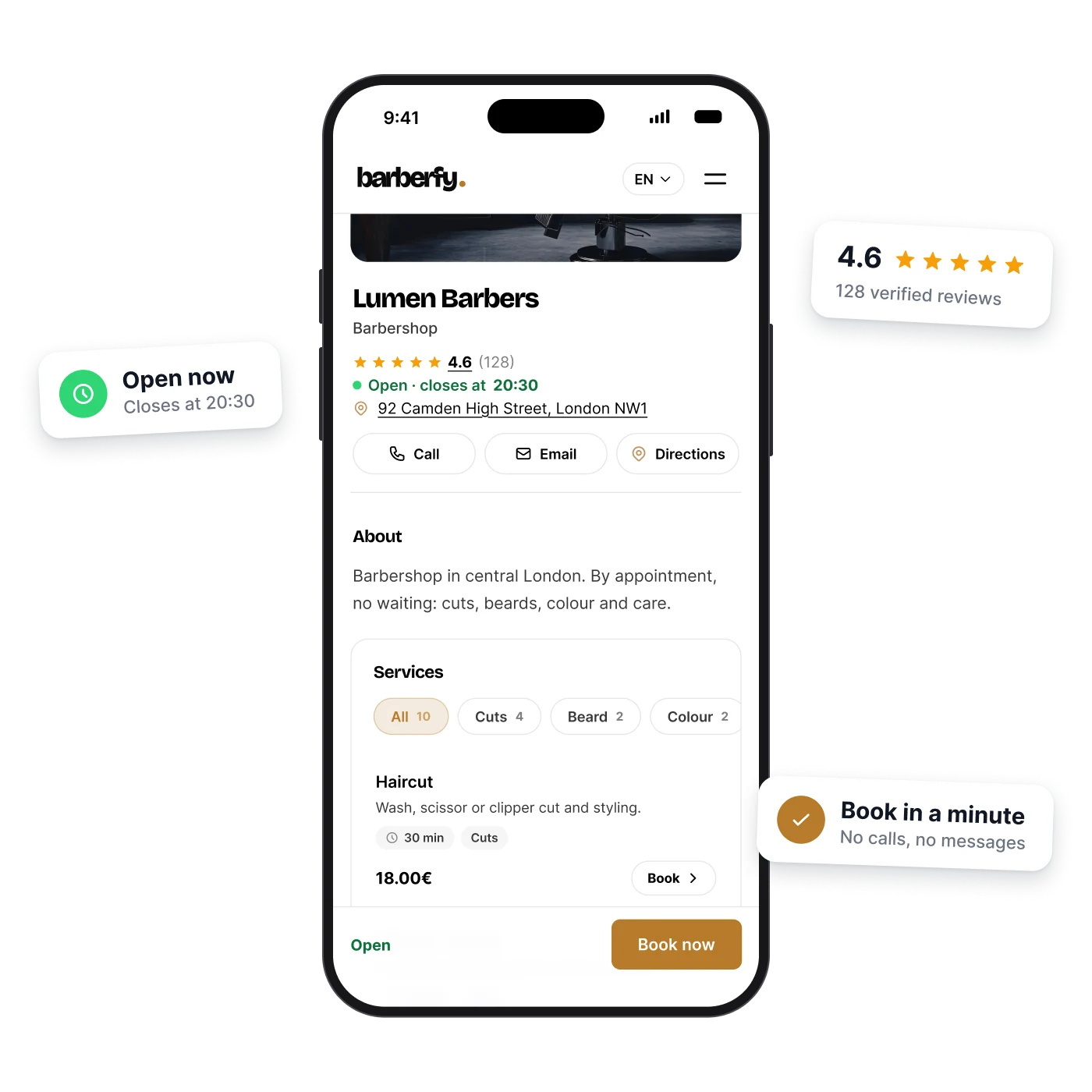
A barbershop's public page on a phone, with its rating, opening hours, services and the book button

Your rules, applied for you

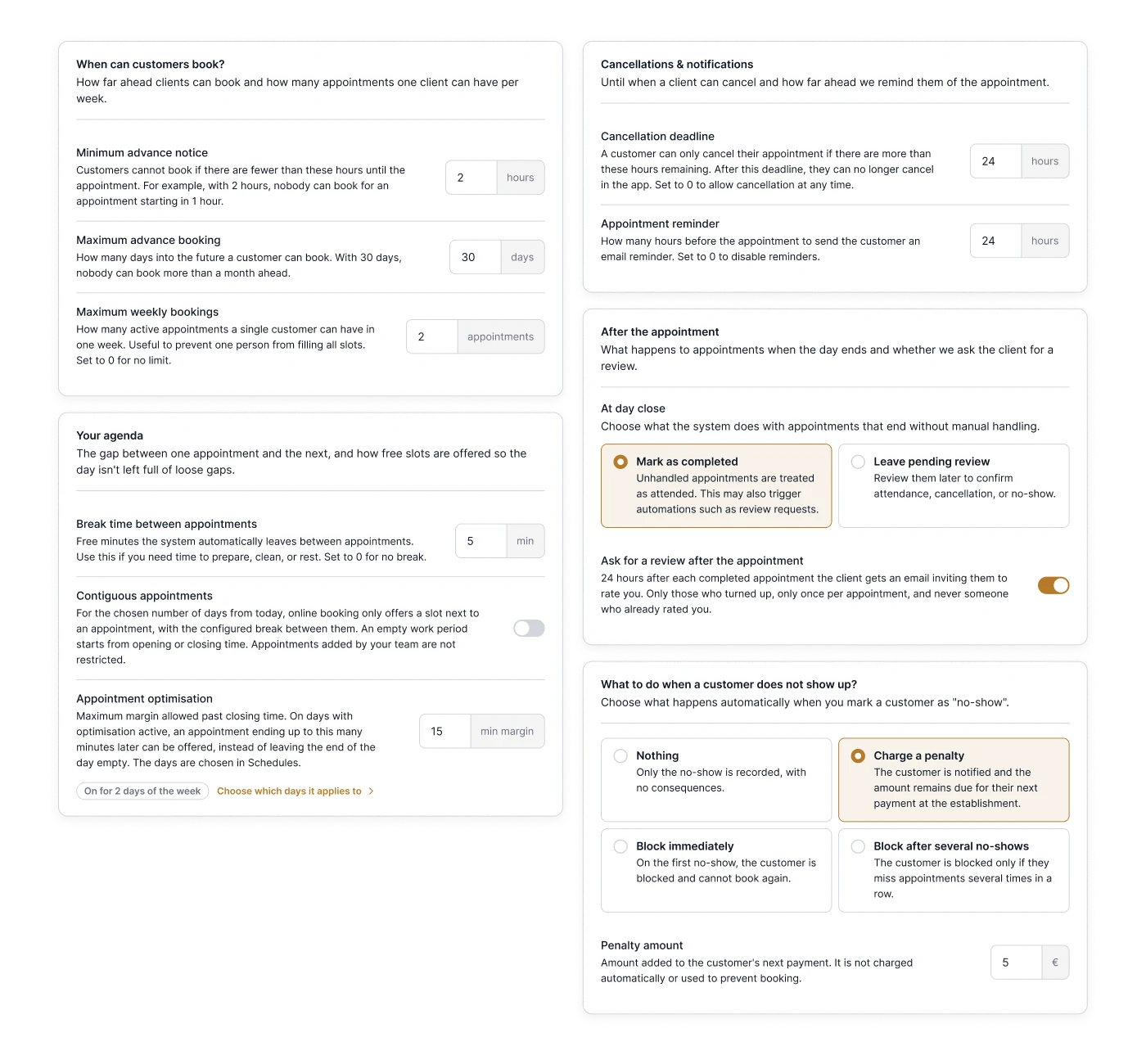
Minimum and maximum notice, a break between appointments, how late someone can cancel, the reminder to the client and what happens when they don't show. Set it once and the page enforces it so you don't have to say no.

Booking settings: minimum and maximum advance notice, break between appointments, cancellation deadline, reminder, what happens at day close and what to do when a client doesn't show up

What's inside

  • Your own page with your name, photos and menu
  • Browse services and availability without signing in
  • Configurable minimum notice and cancellation
  • A link ready for Instagram, Google or WhatsApp
  • Each professional with their own services and hours
  • Back-to-back bookings that reduce dead gaps
  • Optimisation for the final hours of the working day
  • Search-friendly profile data for local discovery

Frequently asked questions

No. The page is part of Barberfy and comes ready to use. Add your address, upload your photos and share the link. If you already have a website, link to it from there.

No. When the client completes the process, the appointment enters your diary as confirmed.

Yes. Mark those days as closed in your hours and they stop being offered, without touching the rest of the week.

Your booking page, live this week

Create your account, configure the public page and share its link with your clients.