The whole day at a glance
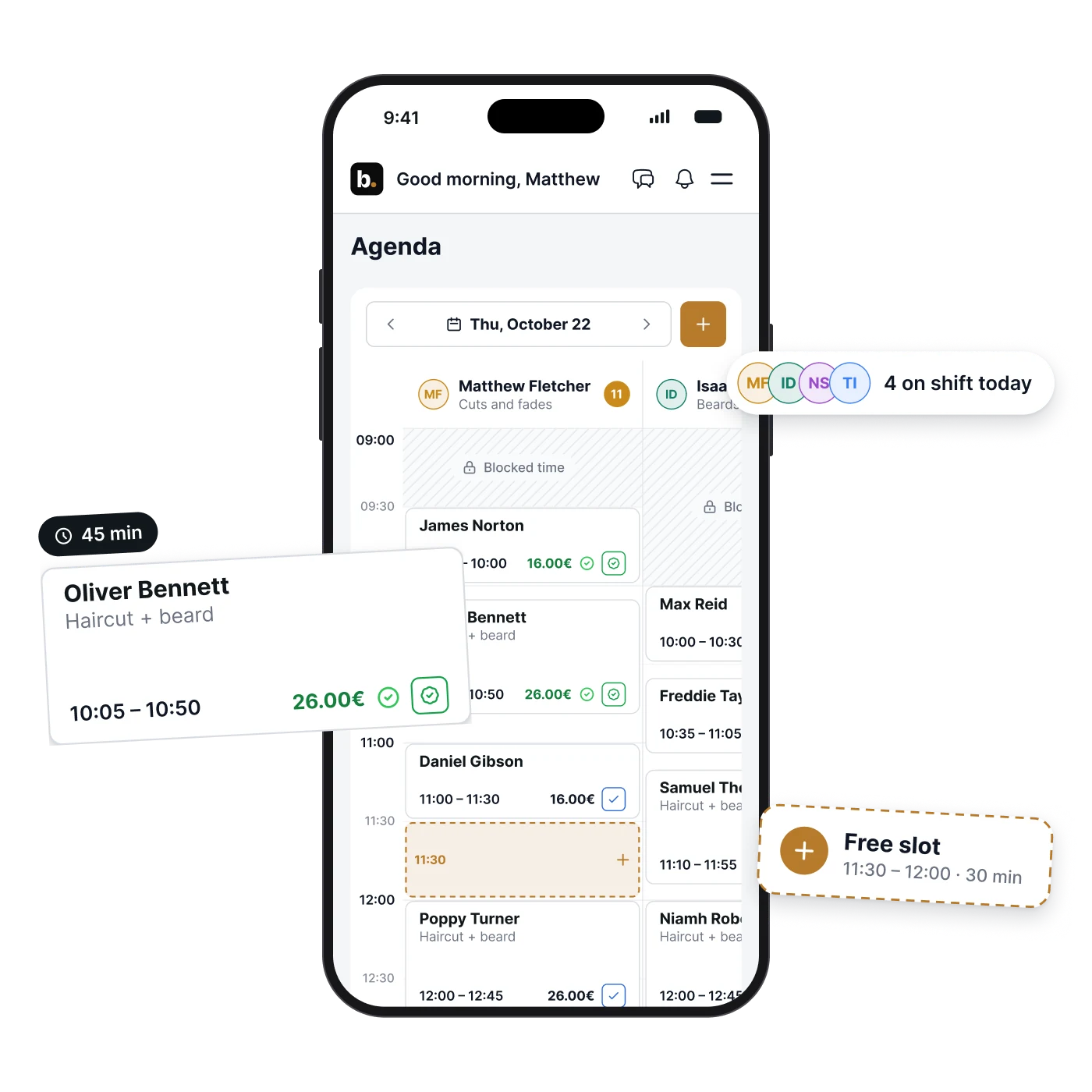
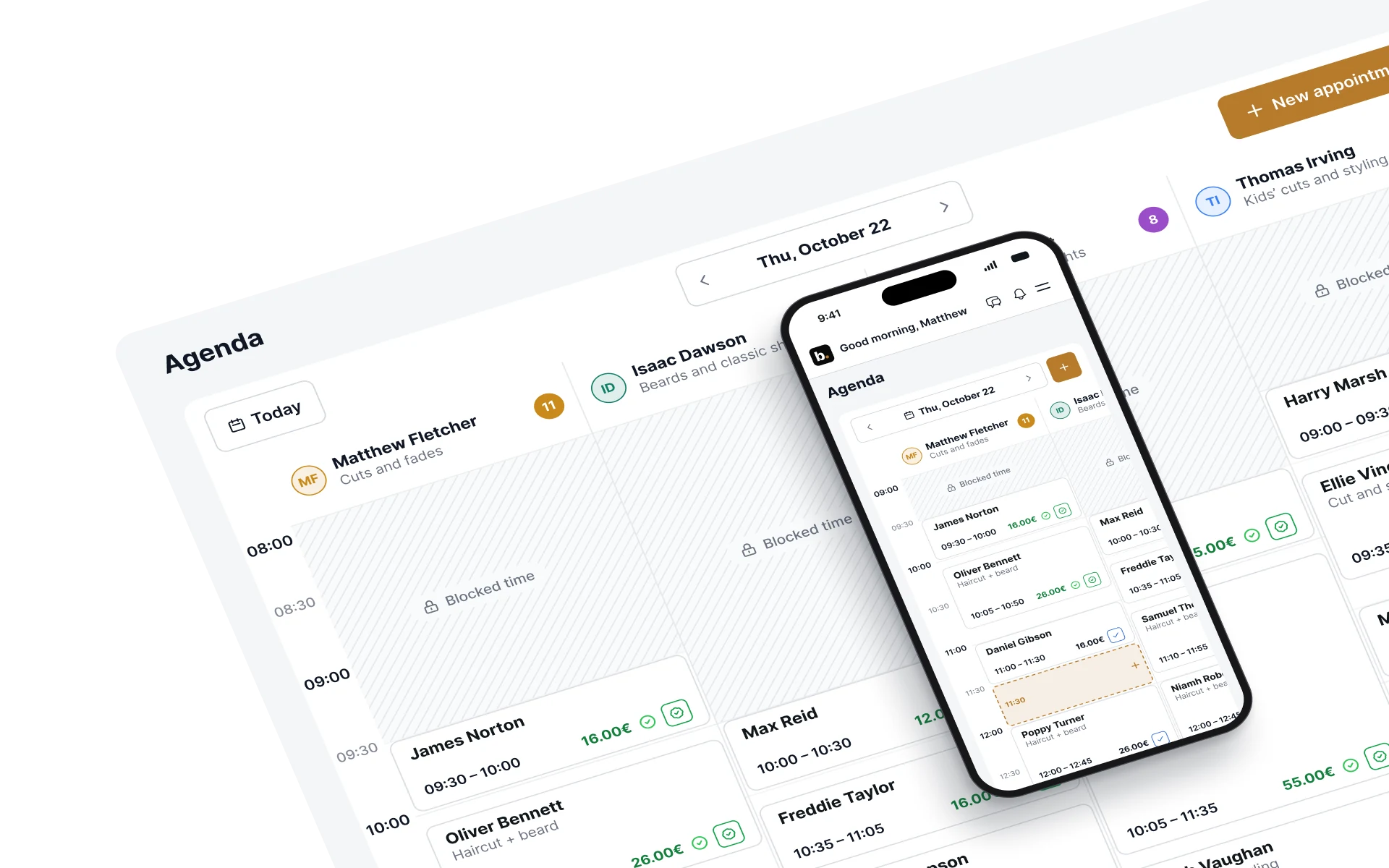
Appointments sit on a timeline and every professional gets their own column, on your phone too. At a glance you know who's busy, how long each service takes and where the client who just rang can fit.

Diary & bookings
Open it in the morning and you know how the day looks. See who is coming in, who is free and where the gaps are. Open an appointment to change it, record payment when it is done and review its status from the same diary.
A paper diary warns you about nothing. The gap a cancellation leaves is still empty tomorrow.
See how it worksAppointments sit on a timeline and every professional gets their own column, on your phone too. At a glance you know who's busy, how long each service takes and where the client who just rang can fit.
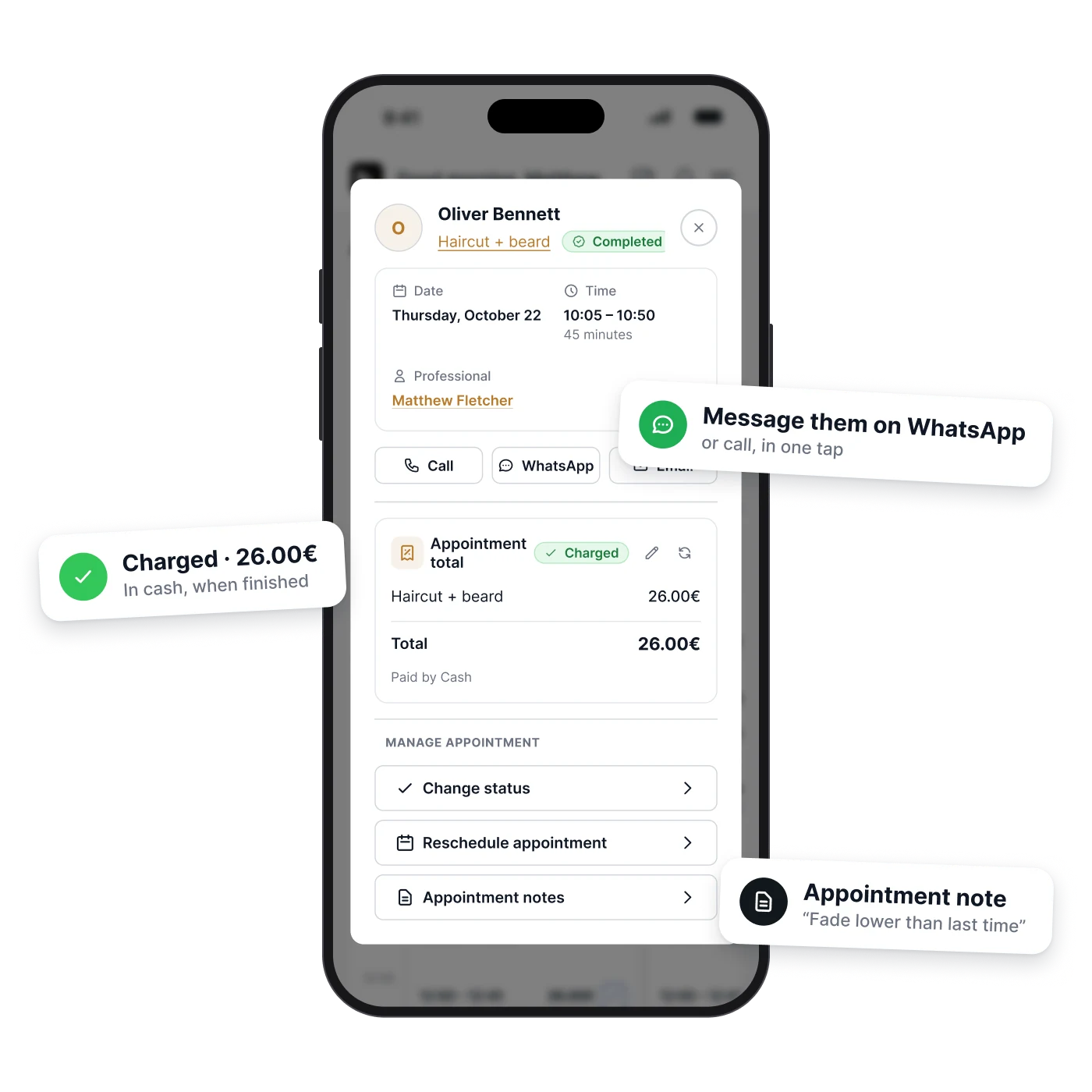
Open an appointment and you have the client, service, time, professional and payment in front of you. From there you call them or message them on WhatsApp, change the status or leave a note. Move it and your page offers the slot it leaves free again.
What's inside
Frequently asked questions
Open it from the diary and edit its date, time, service or professional. Once saved, the diary and public availability reflect the change.
Only what you let them see. Each employee signs in with their own account and you decide whether they see colleagues' appointments, whether they can move them and whether they reach the till.
You add them to the agenda as manual bookings, with their client and service, and from then on they behave exactly like the ones that come in online.
Guides for your business
Other features
Create your account and review the terms available with your chosen plan.