
Team & rotas

The hours you actually keep

Set your week once, straight through or split, each day its own, and mark the days that break the pattern. What your page offers comes from there.

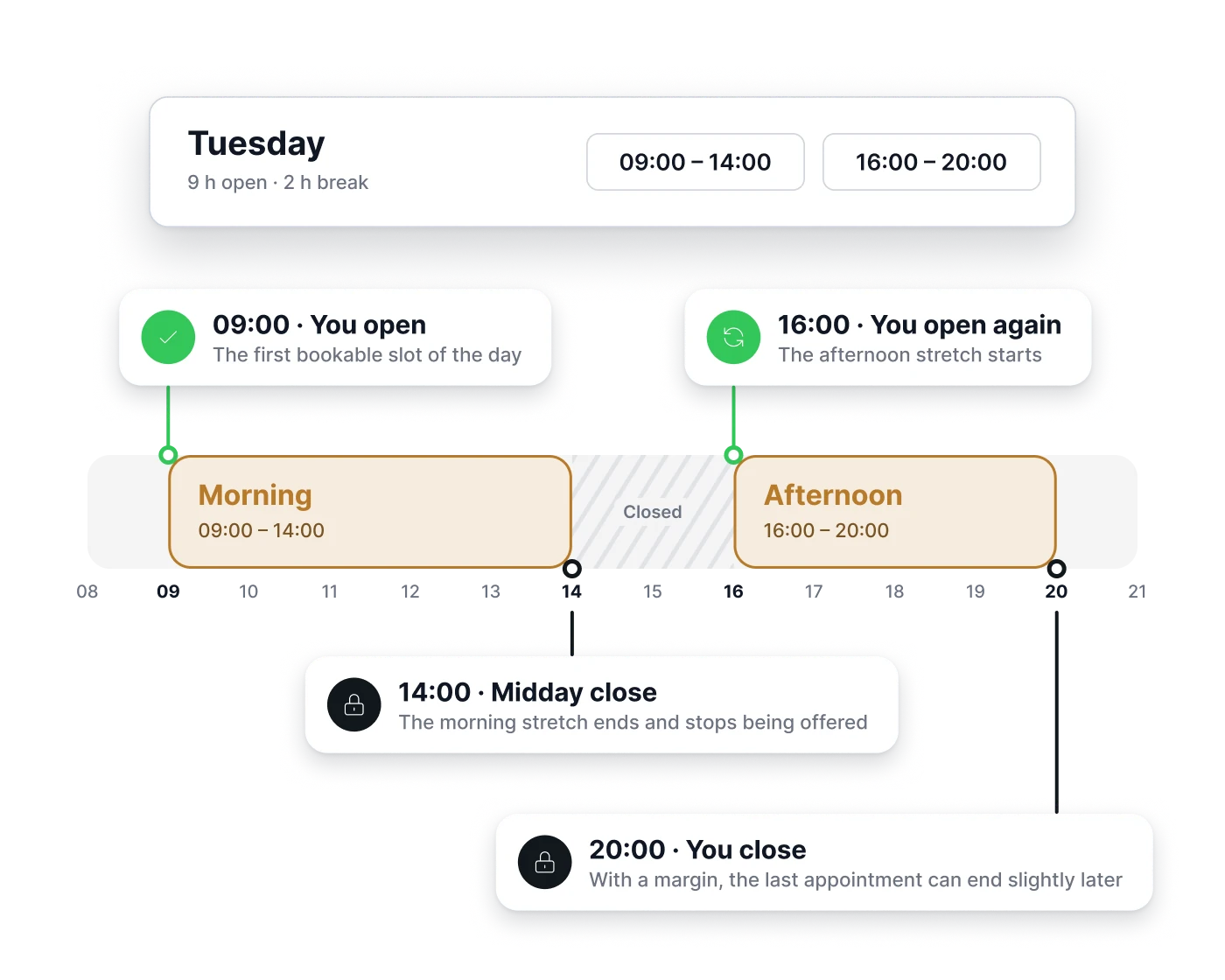
A split-hours Tuesday on a line from 08 to 21: opens at 09:00, closes for midday at 14:00, opens again at 16:00 and closes at 20:00

If the bank holiday isn't set, your page sells it anyway. And someone turns up at a closed door .

See how it works

Every day its own shape

Straight through on Monday, split on Thursday, closed on Sunday. Copy one day onto the others when they repeat and adjust only the one that differs. Underneath you see how many days you open and how many hours the week adds up to.
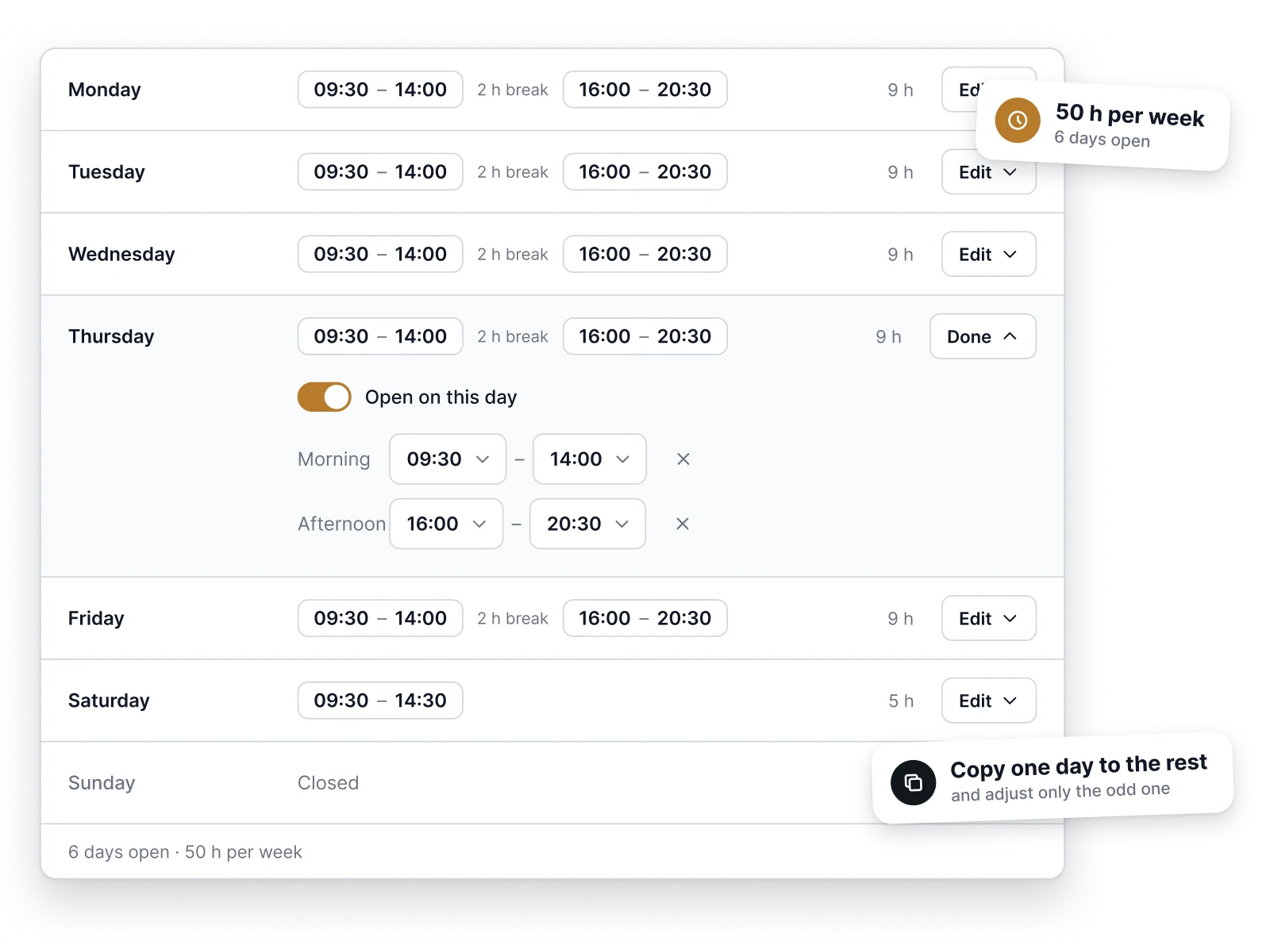
Weekly hours editor showing each day's morning and afternoon ranges

Holidays and time off, marked once

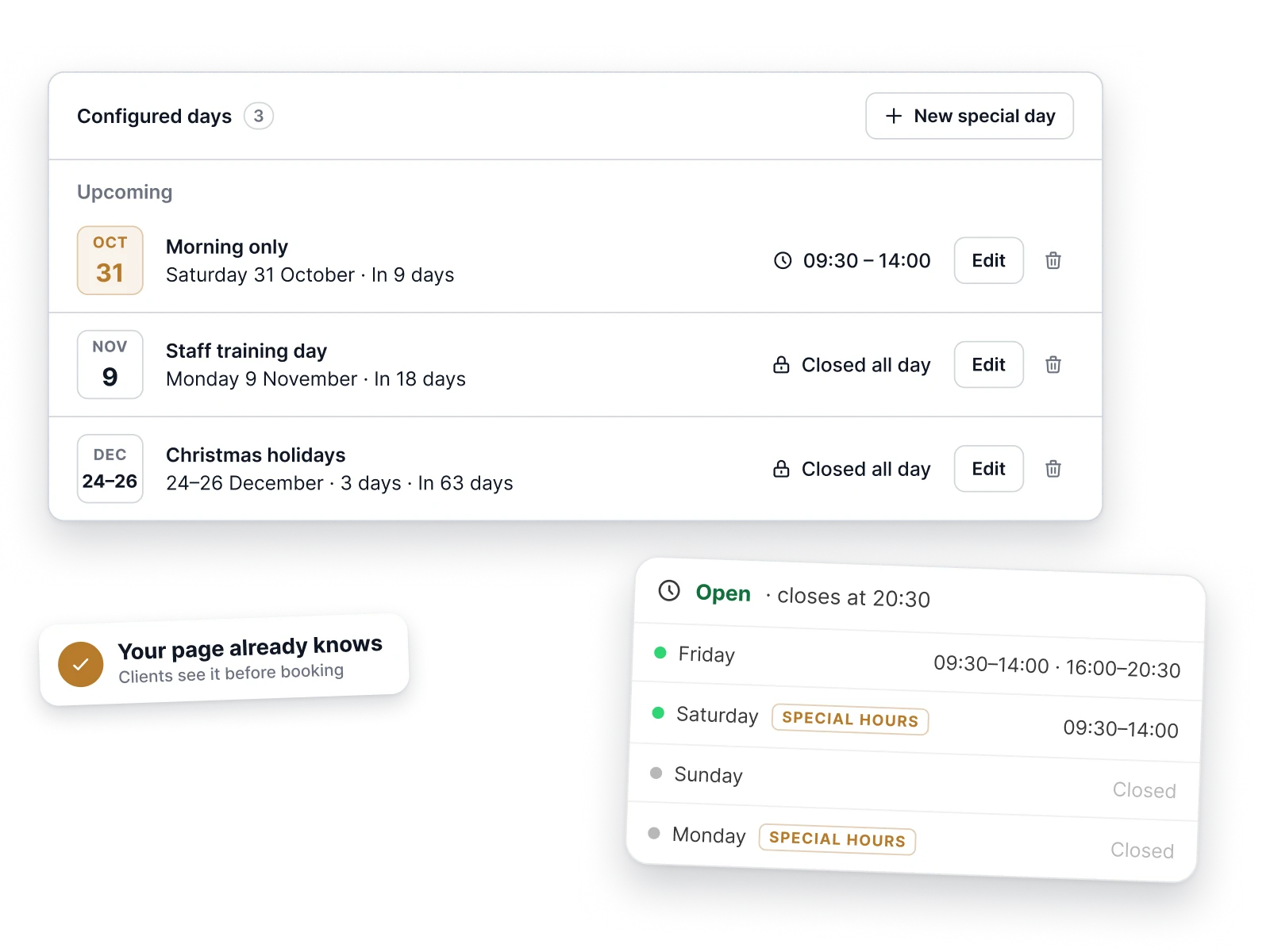
Mark a bank holiday, a day with different hours or a holiday of several days in one go. Your page stops offering those hours and clients see it on your profile before they try to book.

Special days with a closed bank holiday, a morning-only day and a three-day holiday

An ordinary day

An ordinary Tuesday, exactly as you open it

  1. 09:00
    You openThe first bookable slot of the day
  2. 14:00
    Midday closeThe morning stretch ends and stops being offered
  3. 16:00
    You open againThe afternoon stretch starts
  4. 20:00
    You closeWith a margin, the last appointment can end slightly later

What's inside

  • Straight or split days, one by one
  • Special days for holidays, closures and different hours
  • Time off across several days
  • Per-employee hours, inherited from the venue
  • Use the last slot of the day with a courtesy margin

Frequently asked questions

Yes. Everyone inherits the venue's hours and you can adapt them for later starts, Wednesdays off or afternoon-only shifts.

They stay where they are. The change affects what gets offered from then on. It does not delete bookings you have already accepted.

Mark it as a closed special day. It stops being offered immediately, and any appointments you already had you handle from the agenda.

Set your hours once and forget about them

Configure the usual week and add closures or special dates when needed.