Clients & performance

The month adds up without rebuilding it on the 30th

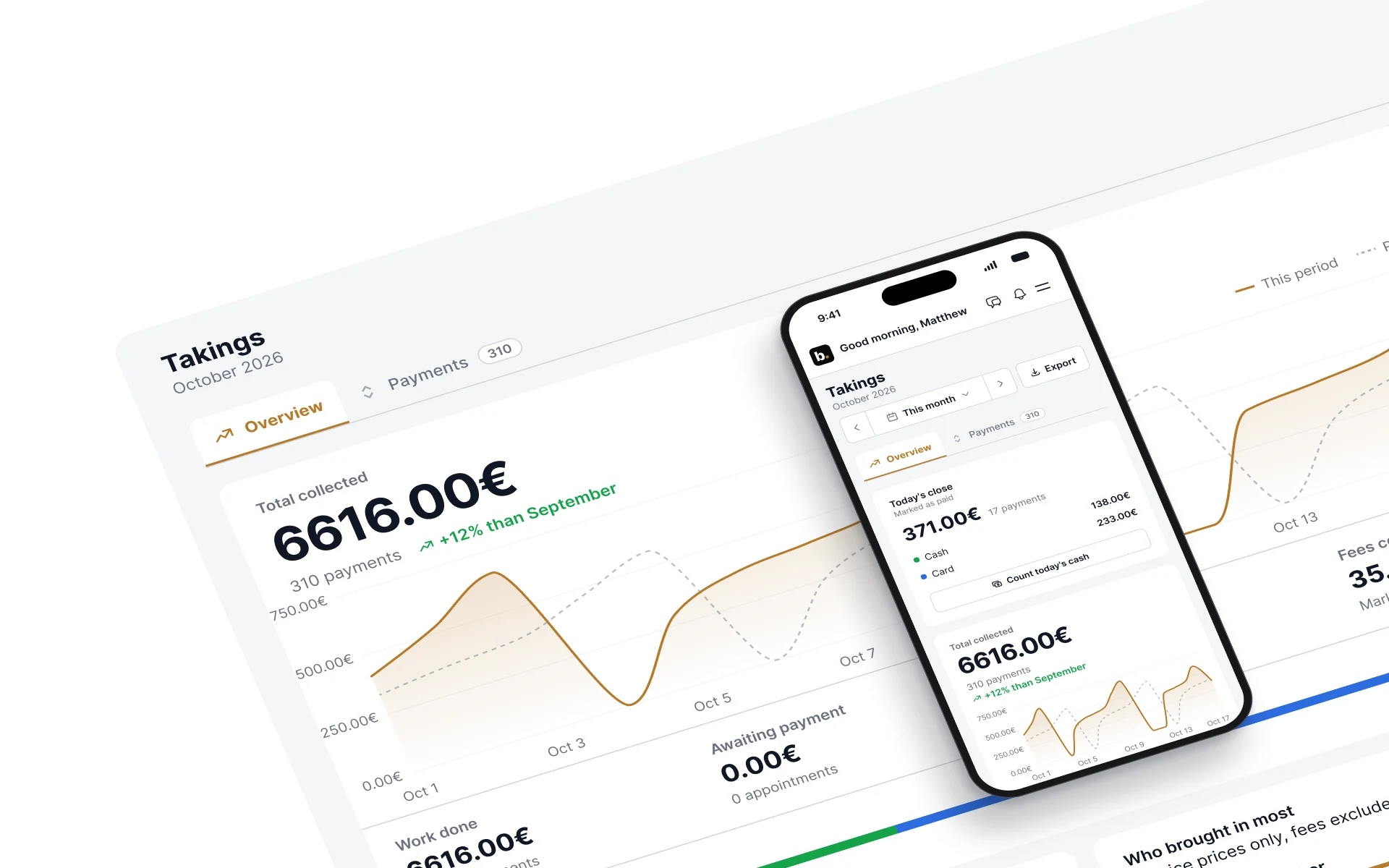
Every payment you record is linked to its appointment, service, professional and payment method. You see what came in, how it splits between cash and card, which services bring in the most and who billed the most. When your accountant asks, you can export the data available with your plan.

The month's takings, with the total collected, how payments evolved and today's close, on desktop and on a phone

Squaring the month from receipts and notes takes a whole evening , and something is still missing.

See how it works

Closing the day without a notebook

At the end of the day you see what was collected today, how much was cash and how much was card. One button opens today’s cash payments so you can check them against what is in the till. If someone picked the wrong payment method, you fix it from the payment itself, and a payment taken by mistake can be undone.
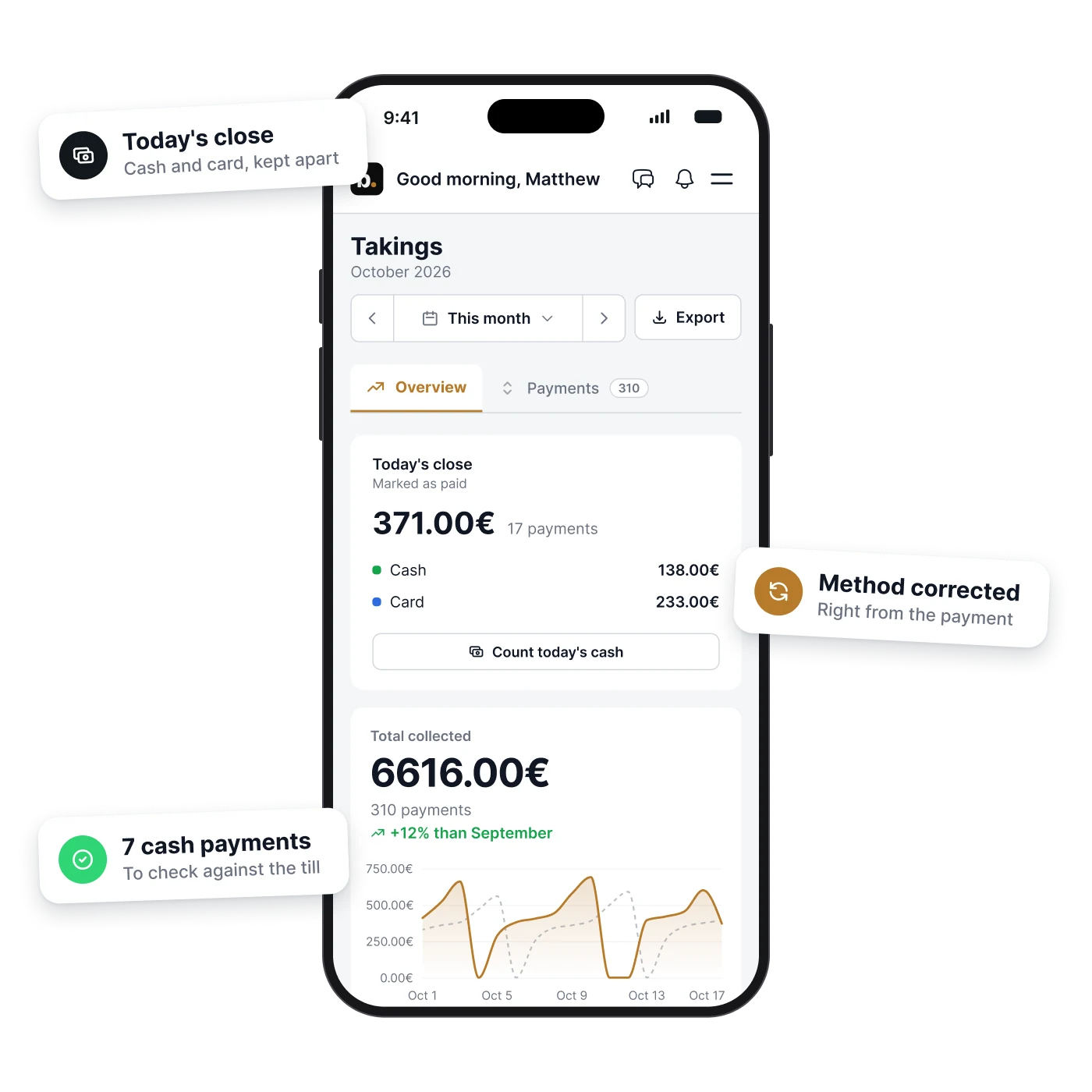
Today’s close on a phone, with the total collected, the split between cash and card and the button to count today’s cash

Work done and money collected, kept apart

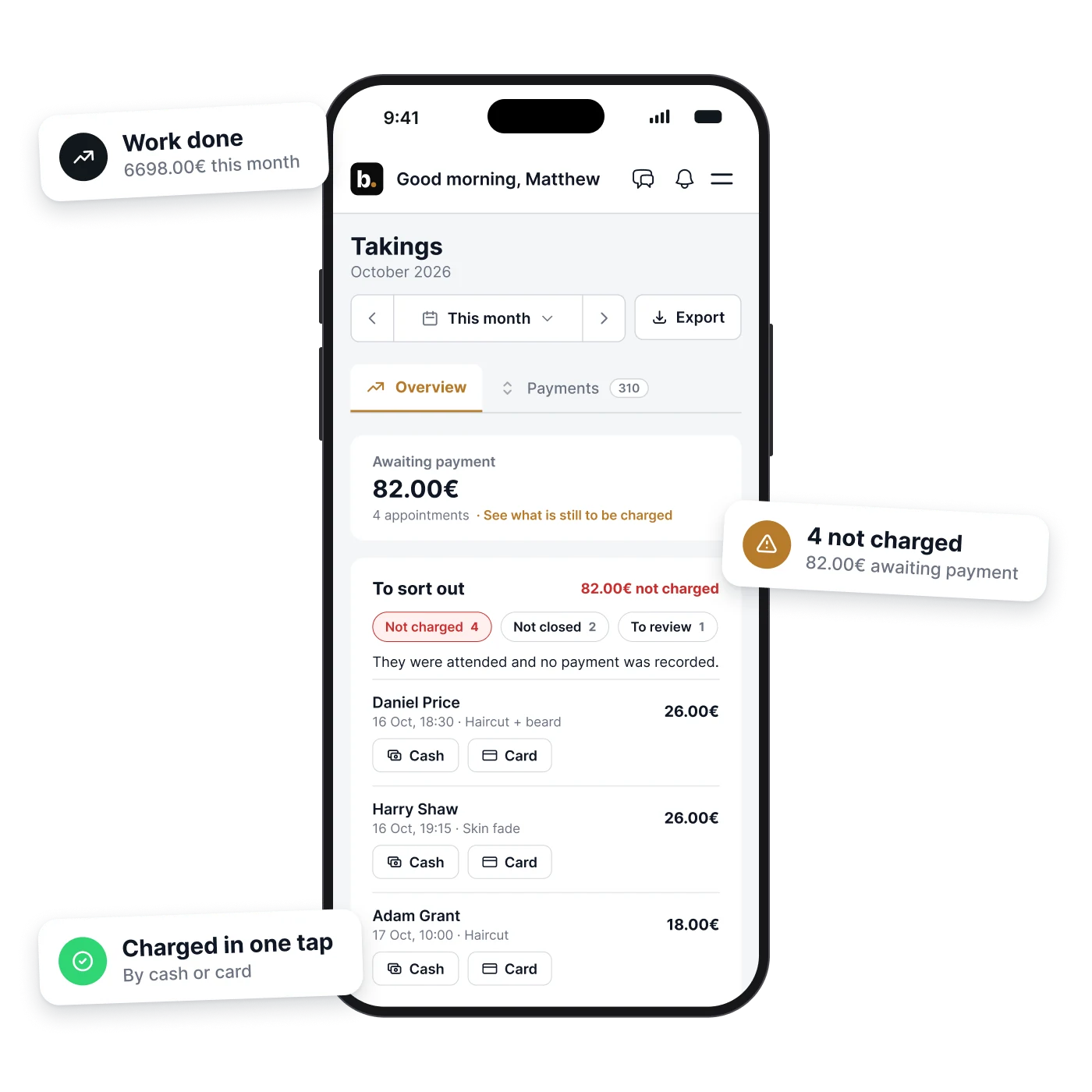
An attended appointment is not money in the till until it is charged. Barberfy separates the work done from what was collected and shows the gap as awaiting payment. To sort out lists the appointments not charged, the ones still not closed and the ones to review, and you charge them right there by cash or card.

Takings on a phone with the amount awaiting payment and the appointments to sort out, each with its cash and card button

What your accountant needs, the same every month

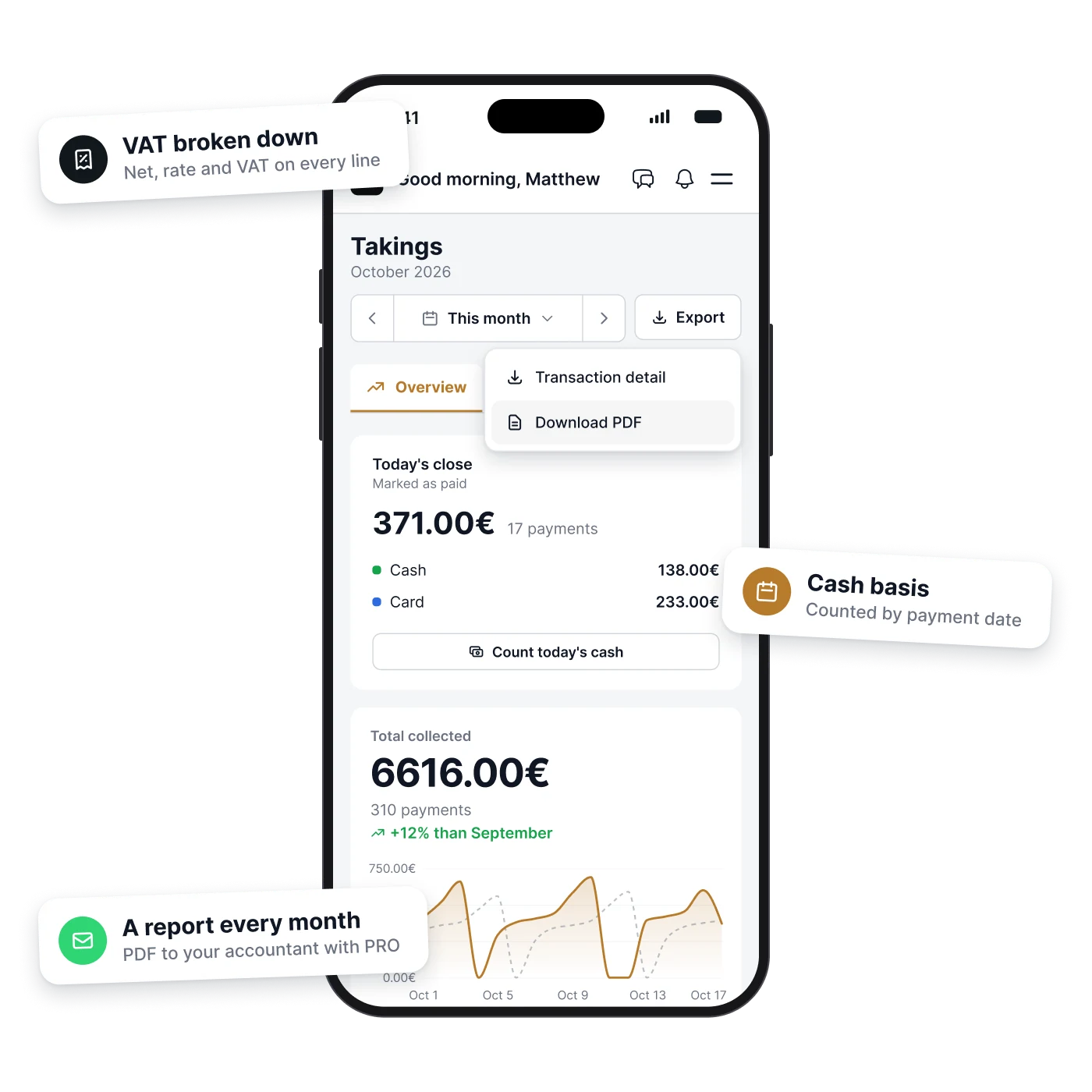
The CSV comes with payment date and time, client, service, team member and payment method. If your business charges VAT, every line also carries the net amount, rate and VAT. Everything is counted by payment date (cash basis) and in your shop’s time zone. With PRO, the PDF income report reaches the email you choose every month, as soon as the month closes.

The Takings export menu on a phone, with the transaction detail as CSV and the income report as PDF

What's inside

  • Statistics by day, service and professional
  • Cash or card payments recorded from the appointment itself
  • Outstanding no-show fees
  • Occupancy, average spend, repeat clients and top services
  • Accounting export in CSV
  • Monthly PDF income report by email with the PRO plan

Frequently asked questions

No. Barberfy records what you take and keeps it organised. Invoicing and taxes stay wherever you handle them now.

You can download transactions as a CSV and, with PRO, a monthly PDF income report with the VAT breakdown when applicable. You can also schedule it to be emailed to your accountant.

Yes. You can review activity and statistics by professional, service or day within the same period.

By payment date, on a cash basis. A haircut on 28 July paid on 3 August counts in August. Takings, the CSV and the PDF report all use the same rule, so the figures match.

You decide in your shop’s tax details. Either way they go on their own line in the CSV and in the report.

Yes. Takings splits payments by business, and statistics show each shop and the total of all of them.

Make month-end a matter of opening and exporting

Record appointment payments and see which exports are included with each plan.